
Choosing between a thin client vs thick client setup can determine how efficiently your outsourcing operations perform. Both setups play a key role in how remote teams access applications, store data, and maintain productivity. The decision affects everything from cost and security to scalability and maintenance. Businesses that rely on its infrastructure outsourcing often evaluate these two options to find the right balance of performance, flexibility, and control. Understanding the difference between a thin client and a thick client helps build a stronger foundation for outsourced operations that depend on smooth and secure IT systems.
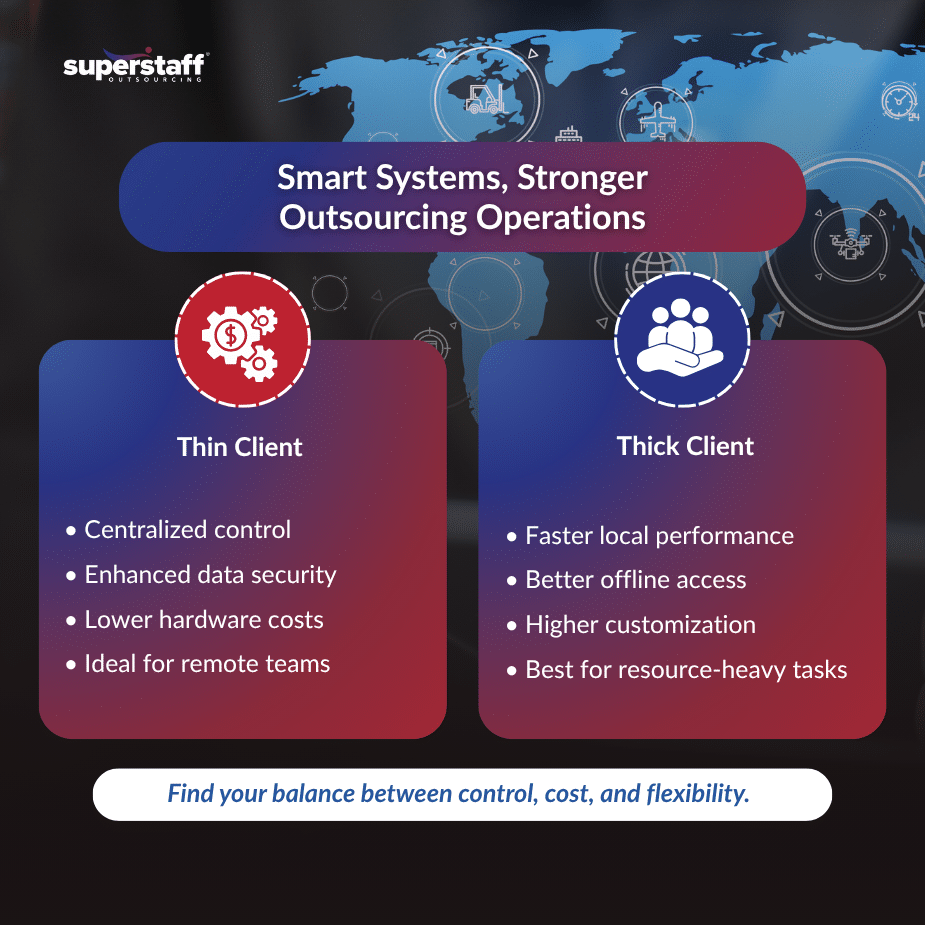
Understanding the Thin Client vs Thick Client Setup
Before comparing both setups, it’s important to understand how each one works. The thin client vs thick client model defines where the computing power lies, either on a centralized server or the user’s device.
1. Thin Client Setup
A thin client depends on a central server to run applications, store files, and process data. The local device mainly functions as an access point. This setup is often used in call centers, data entry departments, and other outsourcing environments that require consistent performance and high data security.
2. Thick Client Setup
A thick client processes most tasks locally on the device. It can run applications independently, even without internet access. This configuration suits teams that need stronger computing power, such as developers, designers, or analysts working with large data files.
3. Infrastructure Design
Thin clients rely on centralized systems, making them easier to manage. Thick clients require decentralized infrastructure, giving users more freedom but increasing maintenance work.
4. Typical Users
Thin clients are ideal for companies with large, repetitive operations. Thick clients are better for creative or technical teams needing more autonomy and offline capabilities.
5. Dependence on Network
Thin clients require a stable internet connection to function properly. Thick clients continue working even during connectivity issues.
Thin Client vs Thick Client: Comparing Costs and Maintenance
The thin client vs thick client comparison starts with cost and maintenance. Outsourcing companies often look at the total cost of ownership when choosing between the two.
1. Hardware Investment
- Thin clients have lower hardware requirements, reducing upfront costs.
- Thick clients demand high-performance computers, increasing hardware expenses.
2. Maintenance and Support
Thin clients are easier to maintain because all updates and troubleshooting are done from a single server. Thick clients require regular maintenance for each individual device.
3. Scalability
Thin clients can be scaled quickly for large teams. Thick clients take more time and budget to expand since each workstation must be configured manually.
4. Longevity
Thin clients have longer lifespans because they experience less wear from heavy processing. Thick clients, while more powerful, may require frequent upgrades.
5. Cost Control in Outsourced Operations
For outsourced operations, thin clients can reduce overall infrastructure costs by centralizing management. Thick clients might suit smaller, high-performance teams that value independence over centralized control.
Security and Data Control in Client Setups
Security is one of the most important factors in choosing between a thin client vs thick client configuration. How data is stored and protected can make or break outsourcing efficiency.
1. Centralized Security
Thin clients offer better centralized control. All data is stored on a remote server, limiting exposure to local threats.
2. Endpoint Security
Thick clients need stronger endpoint protection because data is saved directly on the device. Each workstation becomes a possible entry point for cyber risks.
3. Data Access
Thin clients make it easier to manage access rights. Thick clients provide more flexibility but require stricter monitoring.
4. Backup and Recovery
With thin clients, backups are centralized, making recovery faster and simpler. Thick clients rely on individual backups, which can take more time to manage.
5. Security Fit for IT Infrastructure Outsourcing
For IT infrastructure outsourcing, thin clients are often preferred because of their centralized control and security. They also align with outsourcing IT infrastructure: thin client benefits for global service delivery, helping businesses maintain compliance and safeguard sensitive data across different regions.
Performance, Flexibility, and User Experience
The thin client vs thick client debate also extends to performance and user experience. Each setup offers distinct advantages depending on the work type and technical needs.
1. Application Performance
Thin clients depend on network stability. A strong connection ensures smooth performance, while weak connectivity can slow processes. Thick clients run faster for complex software because they process data locally.
2. Flexibility
Thin clients limit customization to keep the system secure and consistent. Thick clients allow users to install applications and modify settings for their specific tasks.
3. Software Compatibility
Thin clients may not support all software types, especially those that require heavy processing. Thick clients can handle more advanced tools and programs.
4. Network Dependency
Thin clients are network-dependent, while thick clients provide stable offline access.
5. User Autonomy
Thin clients prioritize control and simplicity. Thick clients prioritize independence and flexibility for power users.
Scalability, Management, and Business Fit
How scalable a system is matters for growing outsourcing teams. The thin client vs thick client choice also affects how easily IT teams can manage devices and deploy updates.
1. Scalability
Thin clients allow quick setup for hundreds of users at once. Thick clients require more manual setup, slowing expansion.
2. IT Management
Thin clients are easier to monitor and update from a central point. Thick clients demand regular maintenance for each unit.
3. Collaboration
Thin clients support remote collaboration since everyone works from the same system. Thick clients depend on file-sharing and syncing tools to collaborate effectively.
4. Control vs Flexibility
Thin clients give companies more control. Thick clients give teams more flexibility. Choosing depends on what matters most to the business.
5. Best Fit for Outsourced Operations
For large-scale outsourced operations, thin clients are often the practical choice because of easy management and centralized support. Thick clients work best for teams that handle technical or specialized work where performance is the main concern.
Future Outlook of Client Setups in Outsourcing
The direction of outsourcing IT systems is changing. Hybrid infrastructures are combining both thin and thick client advantages to create flexible and secure environments.
1. Virtual Desktop Integration
Companies are now using cloud-based virtual desktops that function like thin clients but deliver thick client performance.
2. Remote Monitoring Tools
Centralized monitoring tools make thin client setups more secure and efficient.
3. Hybrid Models
Hybrid setups combine the low-cost benefits of thin clients with the flexibility of thick clients.
4. Cloud Adoption
More businesses are shifting workloads to the cloud, improving access and collaboration for global teams.
5. Support for Global Service Delivery
These changes strengthen global service delivery and make infrastructure outsourcing more adaptive for different business needs.
The Right Setup for Secure and Scalable Outsourcing
Selecting between a thin client vs thick client setup affects your company’s cost structure, performance, and security. Thin clients bring simplicity, centralized control, and strong data protection, while thick clients deliver independence and high performance for technical work. The right setup depends on your team size, workload, and infrastructure goals.
SuperStaff helps businesses choose and implement workstation setups that support productivity, flexibility, and data safety for global teams. Whether your operations need centralized thin clients or high-powered thick clients, we design systems that match your outsourcing goals.
Call us now to learn how SuperStaff can help you build a secure, efficient, and scalable infrastructure for your outsourcing operations.