An automated system can process thousands of requests, sort information, and respond within seconds. However, there are times when it cannot confidently determine what to do. The information may be incomplete, the request may not match its instructions, or several possible answers may appear reasonable.
That situation does not always mean the system has failed. Instead, it shows where human review still has a role. AI uncertainty can help businesses identify tasks that need additional attention before a decision reaches a customer, employee, or business record.
Rather than expecting automation to handle every situation, companies can create clear steps for human review. The system can manage routine work, identify cases that need attention, and send those cases to trained employees who can check the information and decide what happens next.
Why AI Can Reach a Point of Uncertainty
AI systems work with the information and instructions available to them. When a situation falls outside those boundaries, the system may produce an uncertain result or require additional review.
1. The Information May Be Missing
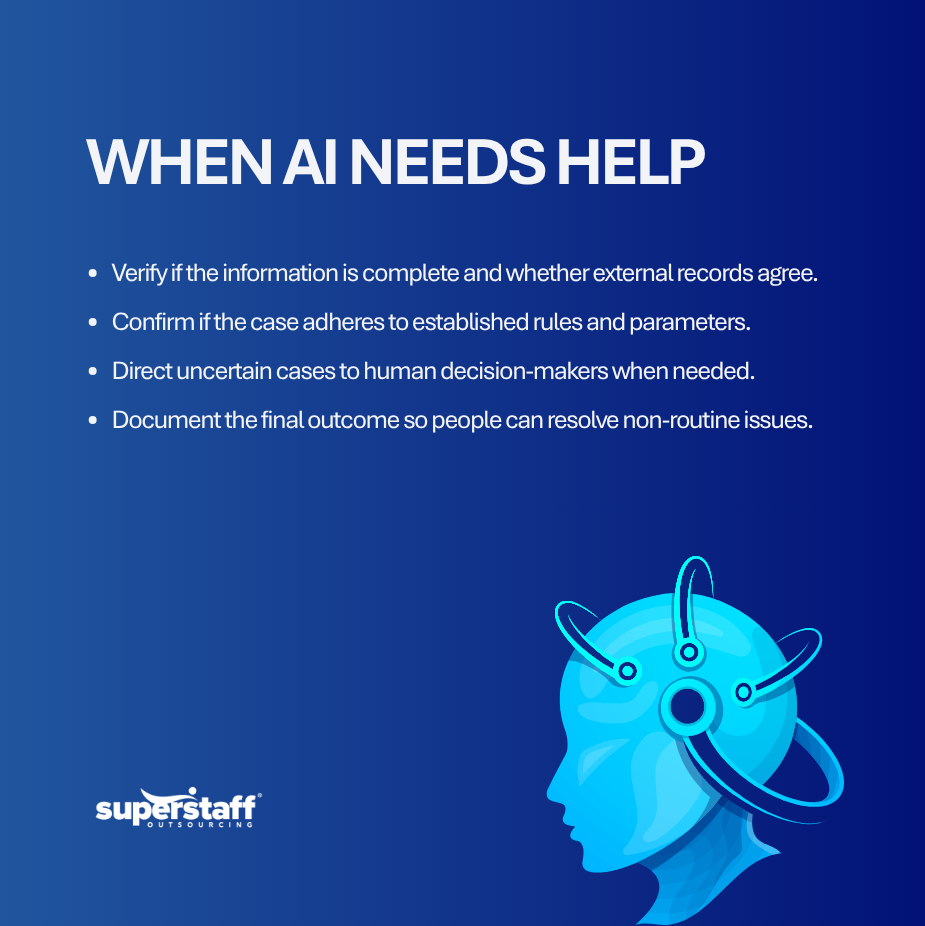
An AI system cannot make a reliable decision when important information is unavailable. For example, a customer record may not include a required account detail, or a document may have an incomplete field.
Instead of filling the gap with an assumption, the process can send the case to a human reviewer. The employee can check the original source and request the missing information when needed.
2. The Request May Have Several Meanings
People do not always write requests in clear or consistent ways. A short customer message may have several possible interpretations depending on the account, previous conversations, or business rules.
AI can identify likely meanings, but a human may need to review the context. Businesses should create a process for handling requests that do not have a clear interpretation. This is one reason human intervention in AI workflows needs clear rules for identifying uncertain results and deciding when an employee should step in.
3. The Case May Not Match Existing Rules
Automated workflows usually rely on defined conditions. However, businesses regularly encounter situations that do not fit those conditions.
For example, an order may fall outside normal limits or a payment may contain unusual details. A human reviewer can assess the situation before the business takes further action.
4. The Data May Conflict
Different systems may contain different information about the same customer, order, employee, or transaction. AI can identify the difference, but it may not know which record represents the correct information.
A trained employee can compare the available records and determine which information the business should use. This also gives the company an opportunity to correct the source data.
5. The Decision May Require Judgment
Some business decisions depend on context, policy, risk, or customer history. These factors may not fit neatly into a predefined automated rule.
In these situations, businesses can use AI to organize the information while allowing a qualified employee to make the final decision.
Where Human Review Still Matters
AI uncertainty becomes easier to manage when companies identify the areas where human input adds value. The goal is not to review every automated action, but to focus attention on cases that need it.
1. Customer Service
AI can answer common questions and handle standard requests. However, complaints, unusual account problems, and requests outside standard policies may need a person to review the situation.
A customer service employee can check the account history, understand the request, and provide a response based on company policies. This approach helps businesses maintain the right balance between AI and human customer service when a customer needs more than an automated answer.
2. Financial Operations
Automation can help process invoices, organize transactions, and compare records. However, unusual amounts, missing documents, or mismatched information may require additional review.
A finance employee can investigate the issue and determine whether the transaction should move forward.
3. Recruitment
AI can help sort applications and identify candidates based on defined criteria. However, candidates may have unusual experience, incomplete information, or qualifications that do not fit standard categories.
Recruiters can review these cases and decide whether the candidate deserves further consideration.
4. Technical Support
Automated systems can handle common technical questions and basic troubleshooting steps. Yet, some problems may not match the available solutions.
A technical support employee can review the case, gather additional information, and determine the next troubleshooting step.
5. Data Management
AI can identify duplicate records, missing fields, and unusual entries. However, the system may not know which information represents the correct business record.
Human reviewers can verify the source information, make approved corrections, and record the reason for the change.
Build a Clear Process for AI Uncertainty
Businesses need more than an instruction telling employees to review uncertain cases. They need a clear process that explains when, why, and how human intervention should happen.
1. Set Review Triggers
First, define the conditions that require human attention. These may include missing information, conflicting records, unusual requests, failed automated actions, or low confidence in the result.
Clear triggers prevent employees from making different decisions about similar cases.
2. Route Cases to the Right Team
Different exceptions require different skills. A billing issue should go to an appropriate finance team, while a technical issue should go to technical support.
Therefore, businesses should create routing rules that direct each case to the right employee or department.
3. Give Employees the Full Context
A reviewer needs enough information to understand the case. The system should provide the original request, relevant records, automated result, and reason for escalation.
This helps employees review cases faster and reduces unnecessary searches across multiple systems.
4. Define What Employees Can Do
Employees should know which actions they can take without additional approval. They should also know when they must escalate the case.
For example, a support employee may correct a customer record but need manager approval before making a billing adjustment.
5. Record the Outcome
Every reviewed case can provide useful information. Record whether the employee approved, rejected, corrected, or escalated the result.
Over time, these records can help businesses identify repeated problems and improve the automated process.
Use AI Uncertainty to Improve Workflows
Uncertain cases can provide useful information about how a business process works. If the same issue reaches employees repeatedly, the company may need to update its rules, data, instructions, or training.
1. Find Repeated Exceptions
Track the types of cases that require human review. Then, identify which exceptions occur most often.
This information can help managers decide whether the workflow needs changes.
2. Review Human Decisions
Managers should periodically check how employees handle uncertain cases. This can help identify inconsistent decisions and areas where employees need additional guidance.
Regular quality checks also help maintain clear standards.
3. Improve Data Quality
Some uncertainty comes from poor or incomplete data. Therefore, businesses should look at the source of the information rather than only reviewing the final AI output.
Better records can reduce unnecessary escalations and improve the overall process.
4. Update Business Rules
Business policies change over time. If automated rules do not reflect current policies, the system may continue sending unnecessary cases for review.
Companies should review their rules when services, policies, products, or customer requirements change.
5. Keep Human Oversight Practical
Human review should focus on cases where it adds real value. If employees review every routine task, the business may lose many of the time benefits that automation provides.
A better approach is to let automation handle standard work and reserve human attention for cases that need context, judgment, or approval.
Why Companies May Outsource Human Review
Managing uncertain cases requires trained employees, clear procedures, and consistent quality checks. However, companies may not need to build a large internal team to manage this work.
An outsourced team can handle defined review tasks under company-approved rules. For example, external staff can check records, verify information, classify cases, update systems, and escalate decisions that require internal approval. This is one application of human-in-the-loop outsourcing, where trained workers support AI-assisted processes and handle tasks that need human input.
This approach allows internal employees to focus on higher-level work while trained support staff manage routine review activities. It can also help businesses handle larger volumes without immediately adding permanent positions.
Before outsourcing, companies should define access controls, quality standards, escalation rules, turnaround times, and reporting requirements.
Let Automation Know When to Ask for Help
AI does not need to handle every task without human involvement. In many business processes, the better approach is to give automation a clear role and define when employees should step in.
AI uncertainty can help companies identify where human judgment remains useful. By creating clear review triggers, routing rules, quality checks, and escalation steps, businesses can use automation while keeping people involved where decisions require context.
SuperStaff supports businesses with customer service, data processing, technical support, accounting, recruitment, and other functions that may require human review alongside automated workflows. Businesses that need additional support can contact SuperStaff to discuss their operational requirements.