An AI system can process information quickly, but that does not mean it should make every decision alone. Sometimes, the available information does not match a clear answer. Other times, the situation requires context that the system cannot properly assess. That is where AI decision escalation becomes important.
Instead of forcing AI to choose an answer when confidence is low, companies can create a process that sends uncertain cases to a qualified person. The person can review the information, check the circumstances, and make the final call. This approach helps businesses use AI for speed while keeping people involved when a decision requires judgment.
The goal is not to stop automation. Instead, it is to know when automation should pause and when a human should step in.
Why AI Needs a Clear Escalation Process
AI can handle many routine tasks, but not every situation follows a predictable pattern. Therefore, companies need clear rules for cases that fall outside normal conditions. A well-defined process also helps employees understand when they need to intervene, as explained in SuperStaff’s article on when AI human intervention should begin.
1. AI Can Meet Unclear Cases
AI systems depend on the information they receive and the patterns they identify. When data appears incomplete, conflicting, or unusual, the system may struggle to produce a reliable answer.
For example, an AI tool reviewing a customer request may find several possible responses. Rather than choosing one without enough information, the system can flag the case for human review.
2. Confidence Does Not Equal Accuracy
An AI system may provide an answer even when the result contains an error. Therefore, businesses should not treat every output as correct simply because the system produces it with certainty.
Instead, companies can set rules for checking high-risk or unusual decisions. These rules give employees a clear role when the system needs additional review.
3. Some Decisions Need Context
AI can analyze information, but people often understand details that may not appear in the available data. A customer complaint, employee request, financial issue, or unusual business case may require context from previous events.
As a result, human review can help prevent a technically correct response from becoming the wrong business decision.
4. Errors Can Affect More Than One Task
A small mistake can create additional problems when a system automatically sends its output to another process. For instance, an incorrect classification could affect a customer record, billing action, or operational report.
Consequently, companies need escalation points before errors move further through the workflow.
5. Clear Rules Make Escalation Practical
Employees should know when to take over from AI. Otherwise, workers may either review too many cases or fail to review cases that need attention.
Businesses can define escalation rules based on factors such as:
- Low confidence
- Missing information
- Conflicting data
- High-value transactions
- Customer complaints
- Policy exceptions
- Sensitive decisions
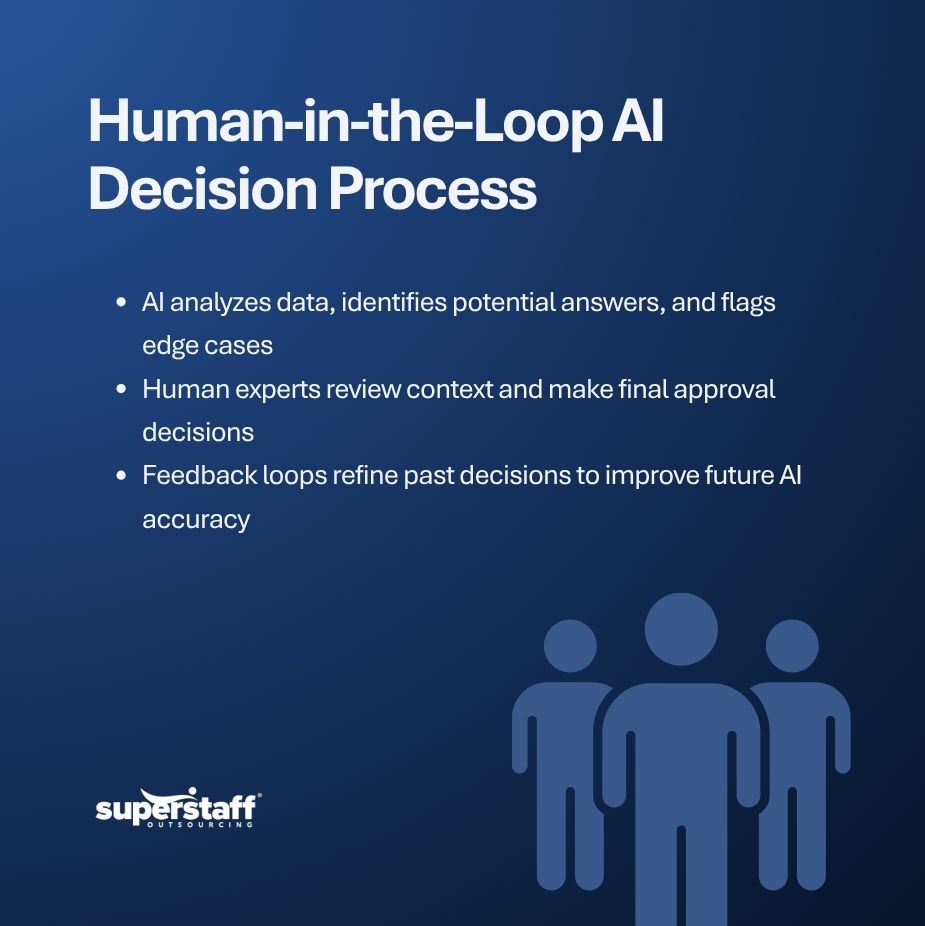
How AI Decision Escalation Works
A strong process does not simply tell employees to check AI outputs. It defines what happens before, during, and after a case reaches a person.
1. AI Handles the First Step
The AI system can start with routine work such as sorting requests, checking records, summarizing information, or identifying possible solutions. This allows employees to spend less time on repetitive tasks.
However, the system should also identify situations that require further review. That creates a clear point where automation can stop.
2. The System Flags Uncertain Cases
The next step involves identifying cases that do not meet the required conditions for automatic processing. The system can flag these cases and send them to the appropriate employee or team.
For example, a customer service system may automatically handle common requests but send unusual complaints to a trained representative. This is particularly useful in customer service outsourcing, where employees may need to handle complex requests that automated systems cannot resolve.
3. A Human Reviews the Information
The employee should receive enough information to understand why the system flagged the case. This may include the AI output, relevant records, previous actions, and the reason for escalation.
With that context, the employee can review the situation without starting the entire process again. The NIST AI Risk Management Framework also provides guidance on identifying AI risks and establishing appropriate oversight.
4. The Human Makes the Decision
After reviewing the case, the employee can approve the AI recommendation, change it, or reject it. This gives people control over decisions that require experience, judgment, or additional context.
At the same time, the AI still provides useful support by organizing information and reducing routine work.
5. The Decision Feeds Back Into the Process
Companies should record what happens after escalation. These records can show which issues appear frequently and where the AI system struggles.
Over time, businesses can use this information to improve workflows, update rules, provide employee training, or adjust the AI system.
Where Human Escalation Matters Most
Not every AI task needs the same level of human involvement. Businesses should focus review efforts where mistakes could create larger costs or customer problems.
1. Customer Service
AI can answer common questions and organize customer requests. However, complaints, unusual requests, and complex cases may require a person who can understand the customer’s situation.
Human intervention is especially important when customers are frustrated or when an automated response fails to resolve their concerns. SuperStaff’s article on AI versus human customer service explains why human support remains important when customer interactions require empathy and judgment.
2. Finance and Billing
Financial tasks often involve specific rules and records. An incorrect decision could affect payments, invoices, refunds, or account information.
For this reason, businesses can use AI for routine checks while requiring human approval for exceptions or higher-value decisions. Employees should have clear approval limits and procedures for reviewing transactions that fall outside normal rules.
3. Recruitment
AI can help organize applications, identify relevant qualifications, and support administrative work. However, hiring decisions require more than matching information to a list of requirements.
Human reviewers can consider experience, communication, role requirements, and other factors that require careful assessment. Businesses should also establish review procedures to reduce the risk of unfair or inaccurate screening decisions.
4. Technical Support
AI can resolve common technical questions and suggest standard fixes. However, unusual system issues may require a technician to investigate the situation more closely.
A clear escalation process allows AI to handle simple cases while directing complex problems to the right specialist. This helps prevent unresolved technical issues from delaying business operations.
5. Operations and Supply Chain
AI can monitor information such as orders, inventory, shipments, and schedules. However, unexpected delays or conflicting information may require human intervention.
A person can review the situation, contact the right teams, and decide what action makes sense based on the circumstances. Human oversight is especially useful when a decision could affect delivery schedules, inventory levels, or customer commitments.
Building a Better AI Decision Escalation Model
Businesses need more than an escalation button. They need a process that employees can understand and follow consistently.
1. Set Clear Escalation Triggers
Start by identifying situations that AI should not handle alone. These triggers should match the risks and requirements of each business function.
2. Assign the Right Review Team
An escalated case should reach someone with the right knowledge. A billing issue should go to a qualified finance employee, while a technical issue should reach the appropriate support specialist.
3. Give Reviewers Enough Information
Employees cannot make good decisions if they lack context. Therefore, escalation systems should provide the information needed to understand the case and the AI recommendation.
4. Track Escalated Cases
Businesses should monitor how often cases require human review. They should also examine why those cases reach employees.
This information can reveal gaps in data, unclear processes, or tasks that require stronger human oversight.
5. Keep People Accountable
AI can support decisions, but businesses still need clear ownership. Employees should understand when they have authority to approve, change, or reject an AI recommendation.
That accountability creates a practical AI decision escalation process that supports automation without removing human responsibility.
Keep Humans Ready When AI Stops
AI can make business processes faster, but speed should not replace judgment. When a system encounters unclear information, unusual requests, or decisions with greater consequences, companies need a reliable way to bring people into the process.
AI decision escalation gives businesses that structure. It allows AI to handle routine work while trained employees manage exceptions and decisions that require context.
SuperStaff supports businesses with teams for customer service, technical support, recruitment, accounting, logistics, and other business processes. Businesses that need help managing AI-supported workflows can contact SuperStaff to discuss their operational needs and determine where human support may be useful.