A growing support team brings new opportunities, but it also creates new challenges. As more agents handle customer calls, managers need better ways to track quality, improve training, and protect customer information. Because of this, many companies now invest in reliable call center recording solutions to support daily operations and maintain service standards.
Customers also expect fast and accurate support. Therefore, support leaders need tools that help agents stay consistent during every interaction. Recorded calls allow teams to review conversations, correct mistakes, and coach employees with real examples. At the same time, managers can monitor customer concerns and identify service gaps before they become larger problems.
The right call center recording solutions can help support teams stay organized while improving customer experience. However, not every platform offers the same features, scalability, or ease of use. Choosing the right system requires careful planning and a clear understanding of business needs.
Features That Support Team Growth
As support teams expand, recording systems must keep up with higher call volumes and larger agent groups. A flexible solution also supports better call center management as companies add agents, channels, and customer accounts.
1. Cloud-Based Storage and Access
Cloud-based platforms allow managers and agents to access recordings from different locations. As a result, remote and hybrid teams can review calls without relying on office-based servers.
Cloud systems also reduce hardware costs. Instead of maintaining physical storage equipment, companies can store recordings securely through online platforms.
2. Easy Search and Call Retrieval
Finding a specific call should not take hours. Therefore, good systems include filters that let managers search recordings by date, customer number, agent name, or call duration.
Fast retrieval saves time during coaching sessions and compliance reviews. In addition, support teams can quickly respond to customer disputes or service concerns.
3. Scalable User Management
Growing teams often add new agents every month. Because of this, companies need systems that support easy account creation and user management.
Scalable platforms allow managers to assign permissions, organize departments, and monitor performance without complicated setup processes. This keeps operations smooth even as teams grow larger.
4. Real-Time Monitoring Tools
Some recording systems include live monitoring features. Supervisors can listen to calls while agents speak with customers, which helps them identify issues immediately.
Real-time monitoring also supports faster coaching. Instead of waiting for post-call reviews, managers can guide agents during active conversations when necessary.
5. Multi-Channel Recording Support
Customers now contact businesses through phone, chat, email, and other digital channels. Therefore, many companies prefer platforms that bring customer interactions into one system.
An omnichannel customer service approach creates a more complete customer history. As a result, agents can better understand customer concerns and continue conversations smoothly.
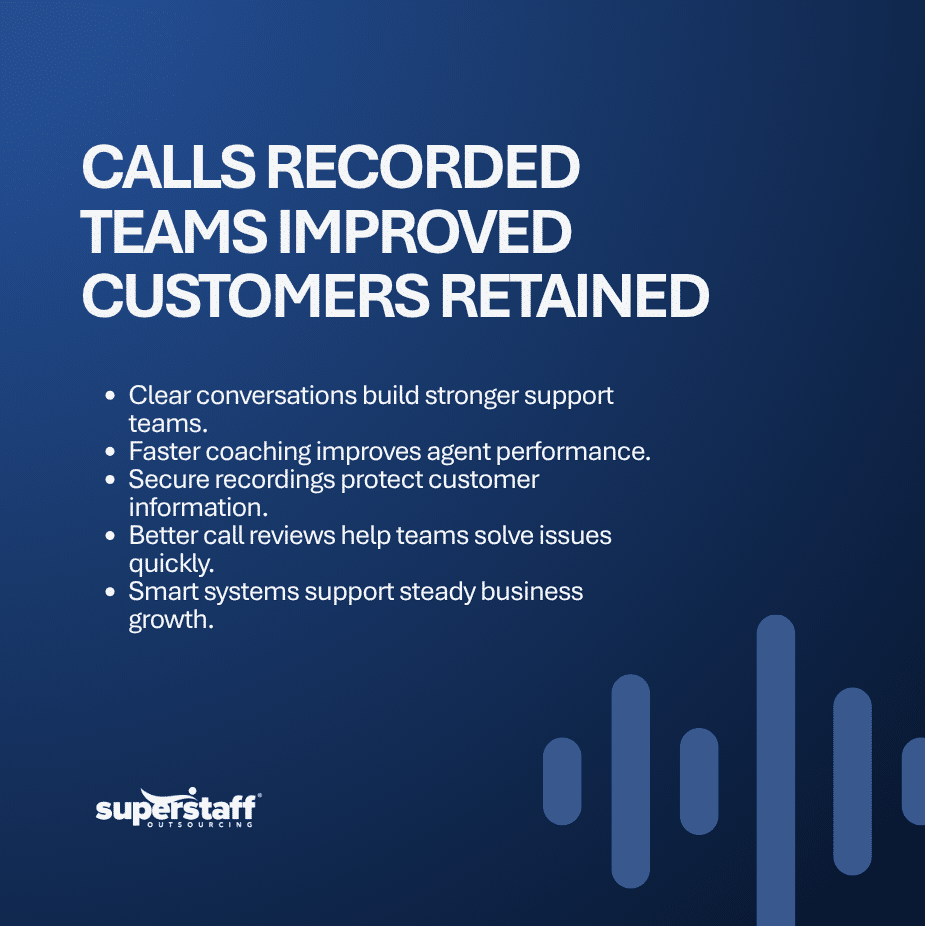
Ways Recording Systems Improve Performance
Recording calls does not only help with storage and compliance. It also supports training, quality assurance, and customer satisfaction across the entire support team.
1. Better Agent Coaching
Recorded calls give supervisors real examples to use during training sessions. Instead of discussing general situations, managers can review actual conversations with agents.
This approach helps agents understand what they handled well and where they need improvement. Consequently, coaching becomes more practical and effective.
2. Faster Quality Reviews
Manual call reviews can take a long time. However, organized recording systems simplify the process by allowing managers to review calls efficiently.
Many platforms also include scoring tools and evaluation forms. These features can strengthen call center quality assurance by giving managers a more consistent way to assess agent interactions.
3. Improved Customer Experience
Customers expect agents to provide accurate information and professional service. Recorded calls help companies identify common service problems and improve response quality.
For example, managers may notice long hold times or unclear explanations during calls. After identifying these issues, teams can adjust workflows and improve customer interactions.
4. Stronger Compliance and Security
Many industries must follow strict data and customer privacy rules. Therefore, secure call center recording solutions help businesses maintain proper records and protect sensitive information.
Some systems include encryption, access controls, and automated retention settings. These features help companies manage recordings safely while meeting applicable legal and industry requirements.
5. Easier Dispute Resolution
Customer disputes sometimes occur because of misunderstandings during calls. Recorded conversations provide clear references when businesses need to verify information.
As a result, managers can review conversations quickly and resolve concerns based on the available records. This process can also provide useful context for both customers and support teams.
Choosing the Right Recording Platform
Not every recording system fits every business. Companies should evaluate their operational needs, growth plans, and customer service goals before making a decision.
1. Identify Team Requirements
Some support teams only need basic recording tools, while others require advanced analytics and monitoring features. Therefore, businesses should first identify their daily operational needs.
For example, a small support team may focus on storage and playback features. Meanwhile, larger contact center operations may need integrations, reporting dashboards, and multi-location access.
2. Check Integration Capabilities
Support teams often use CRM systems, help desk software, and workforce management tools. Because of this, companies should choose platforms that integrate with existing systems.
Good integrations reduce manual work and improve workflow efficiency. In addition, agents can access customer information without switching between multiple platforms.
3. Review Storage and Retention Policies
Recording storage requirements vary across industries. Some businesses only store calls for a few months, while others may need longer retention periods based on business or regulatory requirements.
Companies should review storage limits, retention policies, and archive options before choosing a provider. This helps avoid unexpected storage costs later.
4. Compare Security Features
Customer data protection remains a top priority for support teams. Therefore, businesses should evaluate encryption standards, user permissions, and backup systems carefully.
Strong security features reduce the risk of unauthorized access and data loss. At the same time, they can support broader data security practices across customer service operations.
5. Evaluate Reporting and Analytics
Detailed reporting helps managers monitor agent performance and customer trends. Many call center recording solutions now include dashboards that track call metrics and service patterns.
Analytics tools can also identify recurring customer complaints or operational delays. As a result, support teams can make faster improvements based on actual data.
Common Mistakes Companies Should Avoid
Some businesses invest in recording systems without proper planning. Consequently, they face issues with storage, usability, or compliance later.
Here are common mistakes support teams should avoid:
- Choosing a system that cannot scale with business growth
- Ignoring data security and compliance requirements
- Selecting platforms with limited integration options
- Failing to train agents and supervisors properly
- Overlooking customer experience during implementation
Companies should also consider how recording affects privacy and data handling. Requirements can differ by location and situation, so businesses should review applicable privacy and data protection requirements before setting recording and retention policies.
Planning ahead helps companies avoid these problems while improving long-term operations.
Smarter Support Starts With Better Systems
Growing support teams need reliable tools that improve service quality, protect customer information, and support daily operations. The right call center recording solutions help businesses train agents, monitor performance, and manage customer interactions with greater efficiency.
SuperStaff helps businesses strengthen customer support operations with scalable outsourcing services designed for growing teams. Whether your company needs customer service support, back-office assistance, or workforce solutions, SuperStaff can help you build a stronger support operation with dependable systems and experienced professionals.
Reach out to SuperStaff today to learn how call center recording solutions and outsourced support services can improve your customer experience and support team performance.